







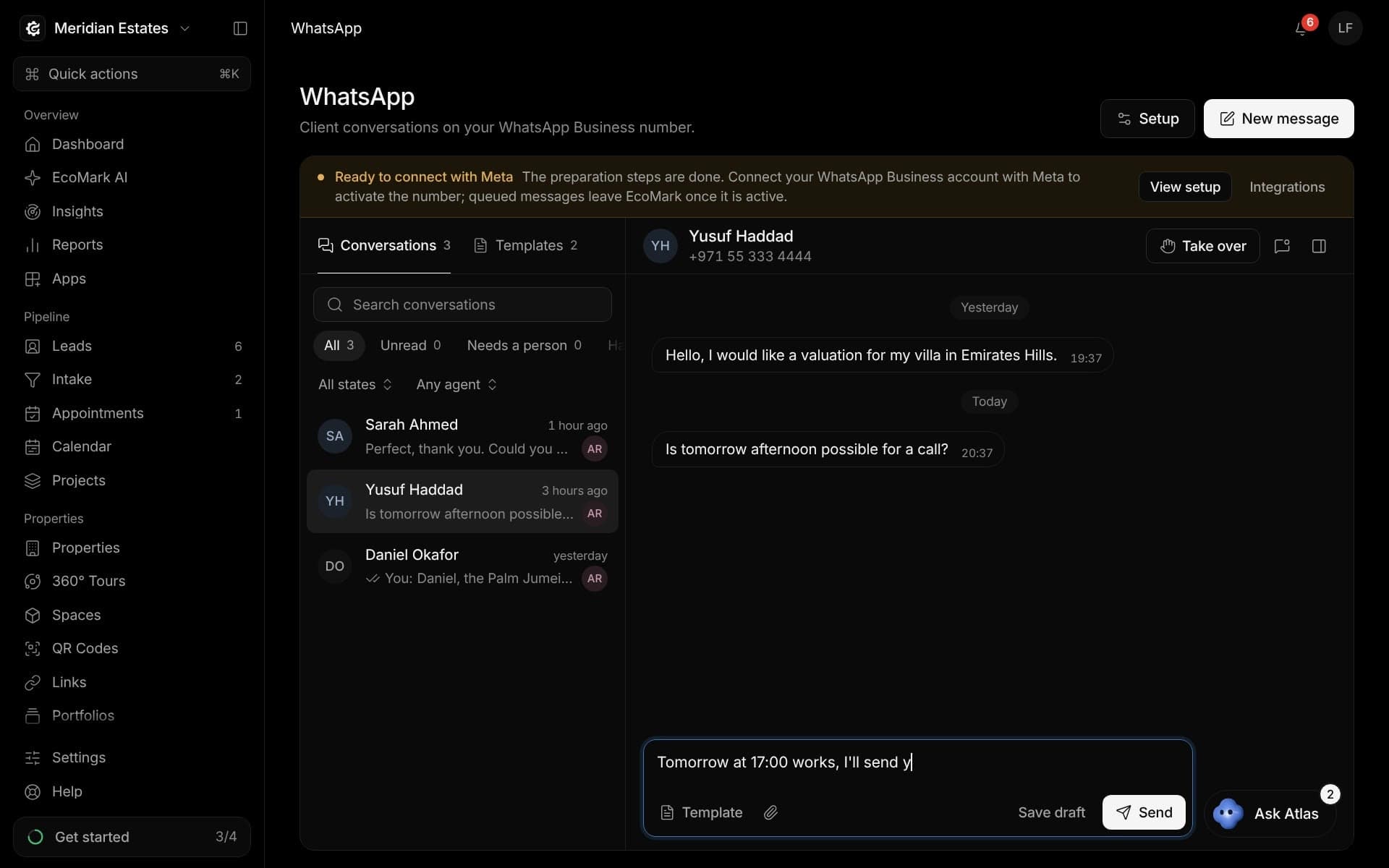
Every WhatsApp conversation in one place.
Clients' messages in an inbox the team shares, with the agent who answers each conversation.
Explore the product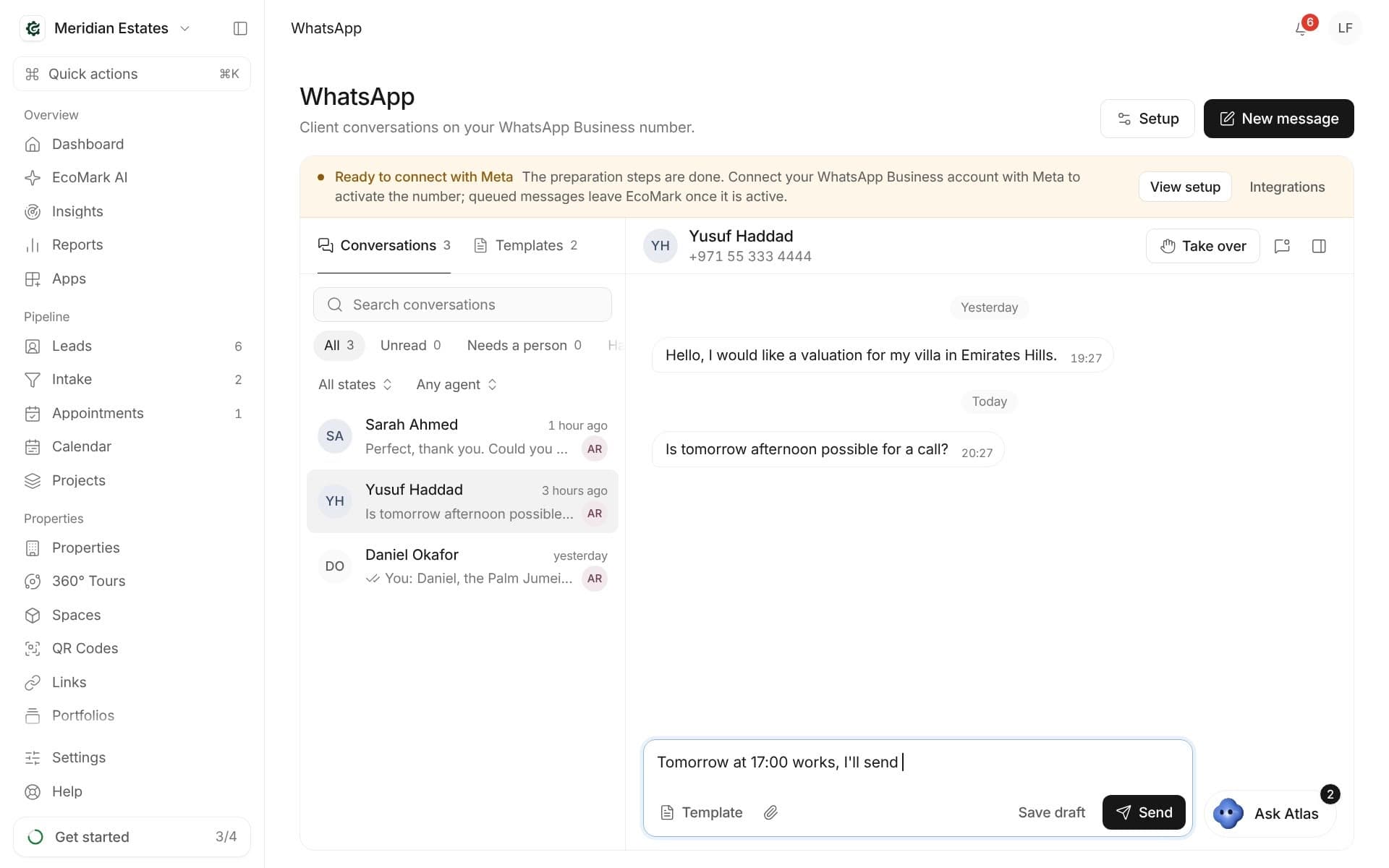
Integrations
EcoMark connects to the apps an agency already uses: mail, messaging, calendars, files, signatures and meetings. Each page says what EcoMark does with the app and which permissions it asks for. Connections open to agencies in stages, as each provider's review completes.
13 integrations
Send and receive agency email in EcoMark.
Client conversations and confirmations.
Post lead, appointment and property updates to a channel.
Outlook mail and calendar, Teams meetings and OneDrive files.
A member's own Google Calendar, shown beside EcoMark appointments. Read only.
Create tasks for leads, properties and appointments, and follow them.
Bookings made on Calendly arrive as EcoMark appointments.
Link the files you pick to leads, properties and appointments.
Link the files you pick from OneDrive and SharePoint.
Link the files you pick to leads, properties and appointments.
Send documents for signature and follow each envelope.
Create, update and cancel meetings for appointments.
Add a Teams meeting to an appointment and keep it in step.
Names and logos belong to their owners and are shown only to identify each integration. They do not imply a partnership or an endorsement.
Clients' messages in an inbox the team shares, with the agent who answers each conversation.
Explore the productEcoMark AI writes the email from the lead's own history, and nothing is sent until you approve it.
How approvals work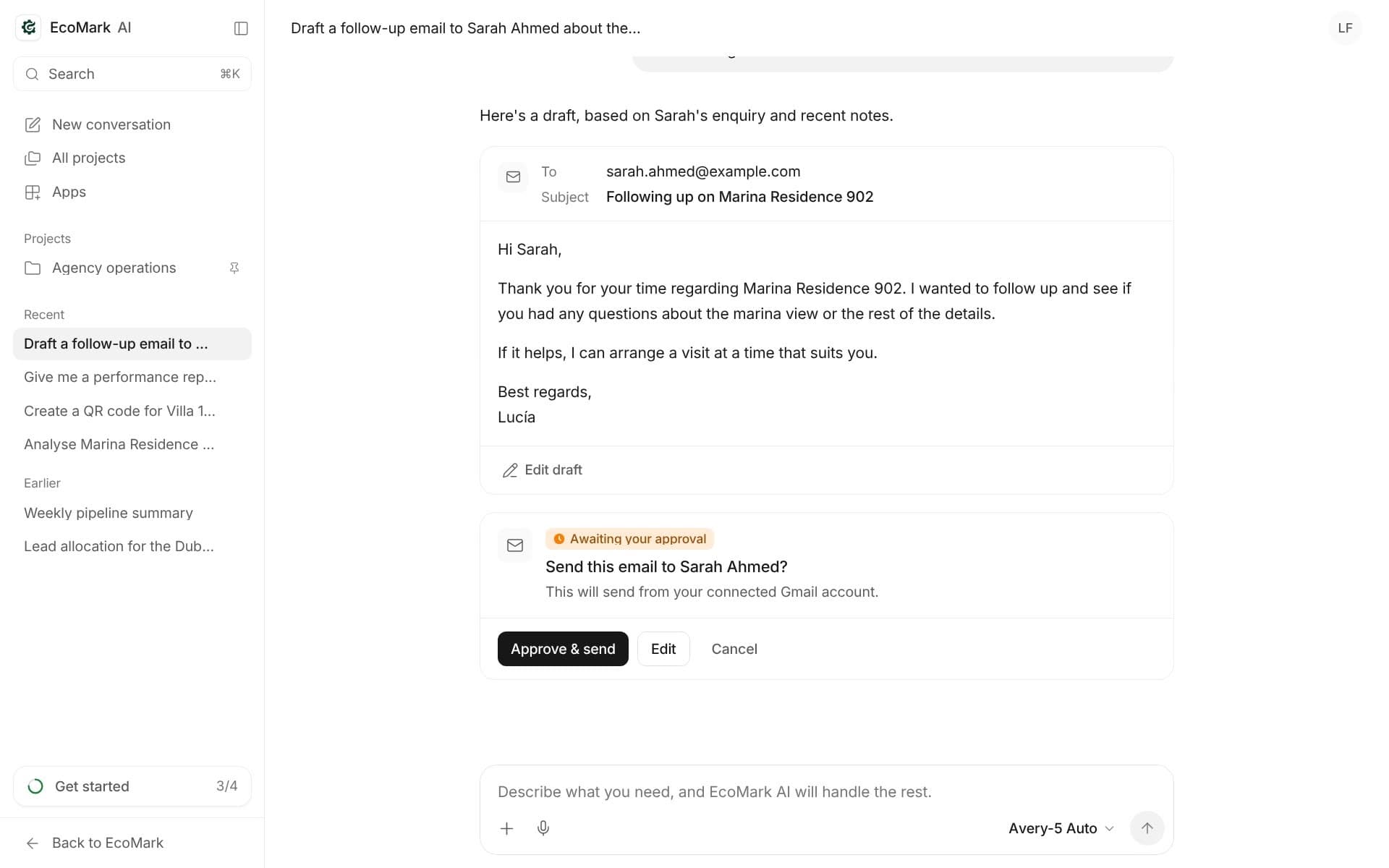
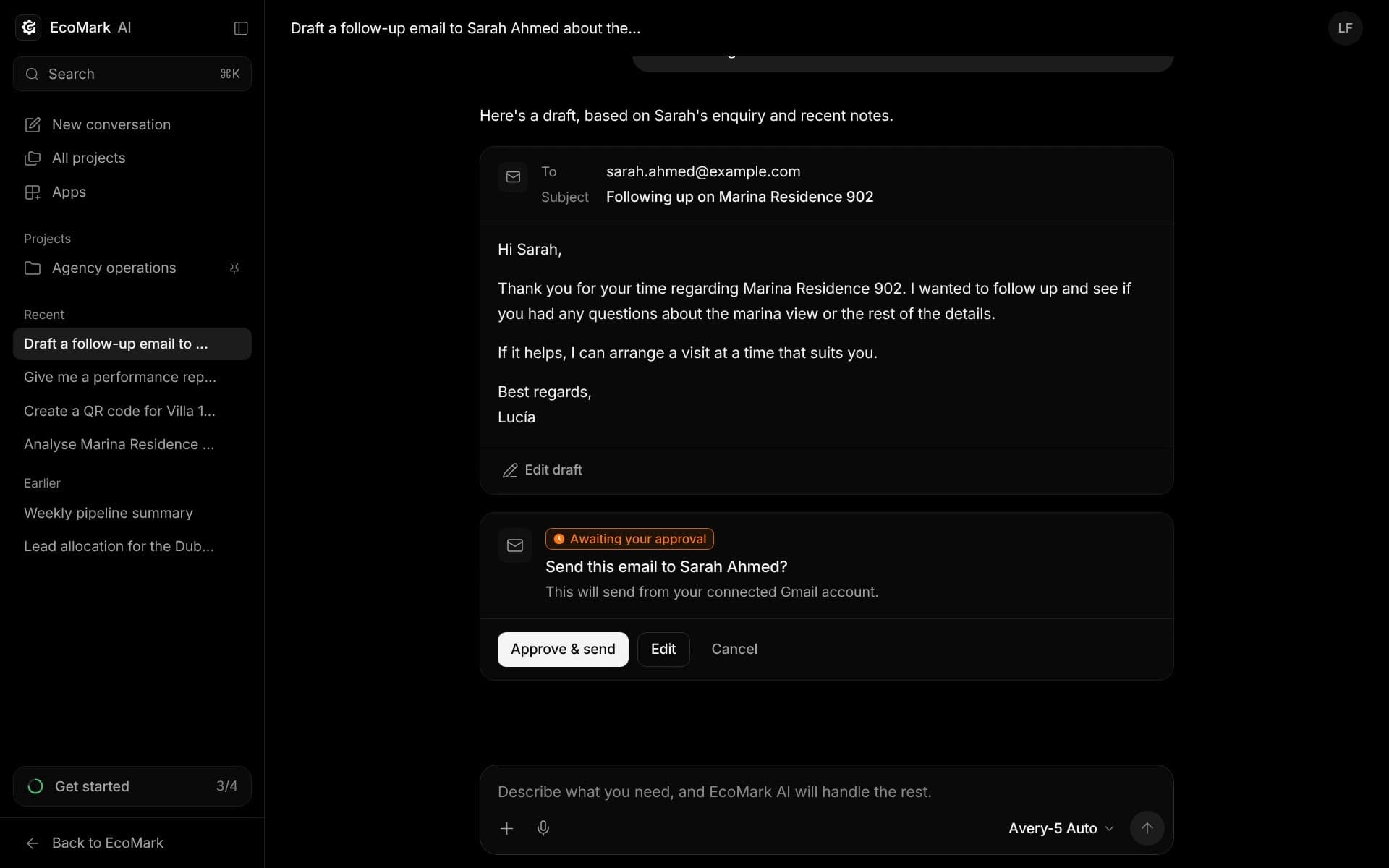
Recorded in EcoMark's demonstration workspace, with sample data.
You authorise EcoMark on the provider's own page, and EcoMark never sees your password for the app. Motion is the exception: it connects with an API key you create in Motion.
Each app's page lists the exact scopes EcoMark requests, as they are written in its code. A grant that lacks a permission EcoMark needs is refused and not kept.
Access tokens and API keys are encrypted with AES-256-GCM before they are stored. They are never sent to a browser.
It always asks you first. Prices and discounts, published listings, contractual commitments and signatures, payments, deleting anything, messages to many people at once, and everything that leaves through a connected app.
These connectors let EcoMark use your apps. EcoMark's MCP server is the opposite: an outside assistant uses EcoMark as you.
Create your agency's workspace, then connect each app from the workspace when you are ready.