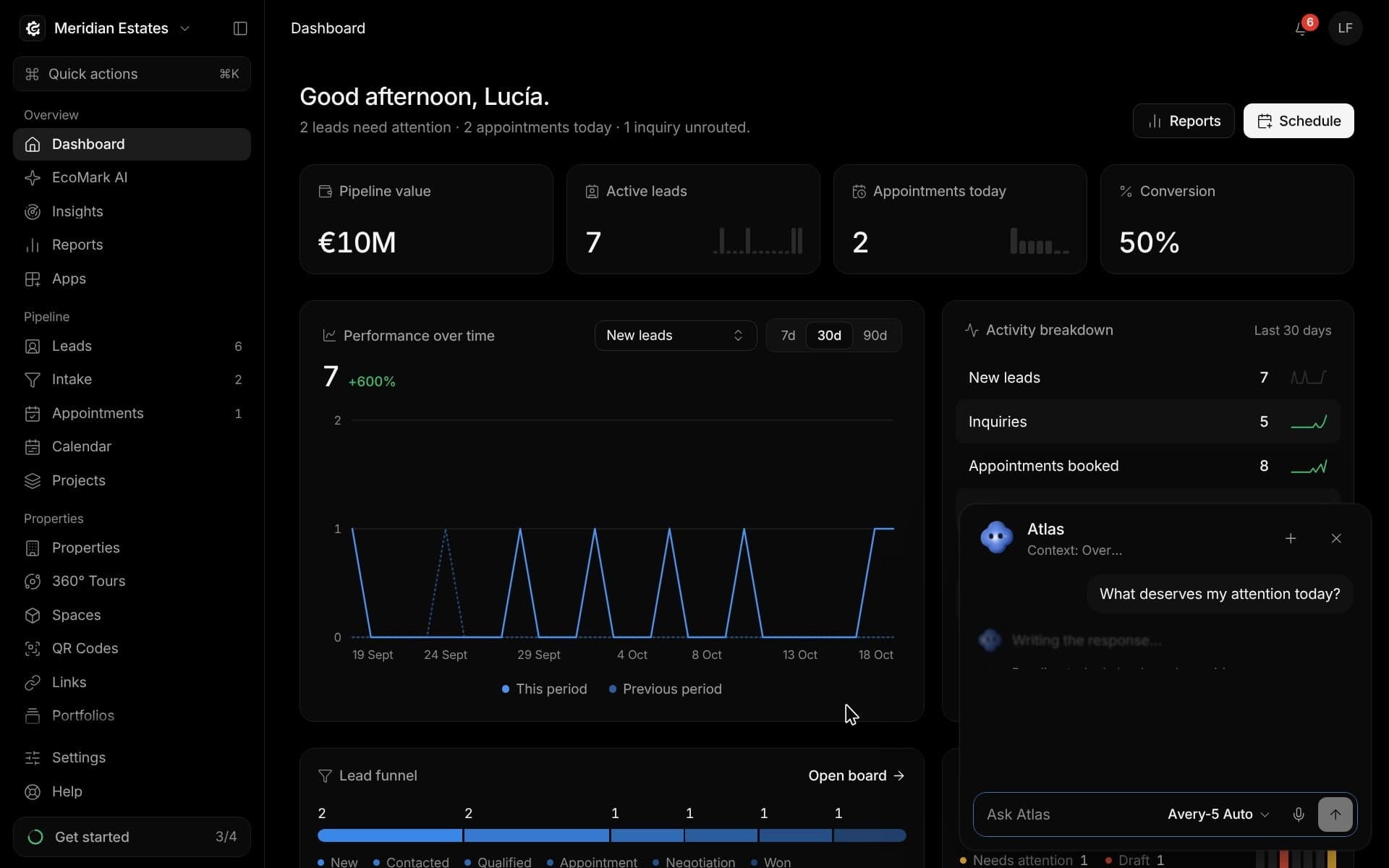
Ask Atlas, on any screen.
What deserves your attention today, answered from what is happening in your agency right now.
Meet EcoMark AI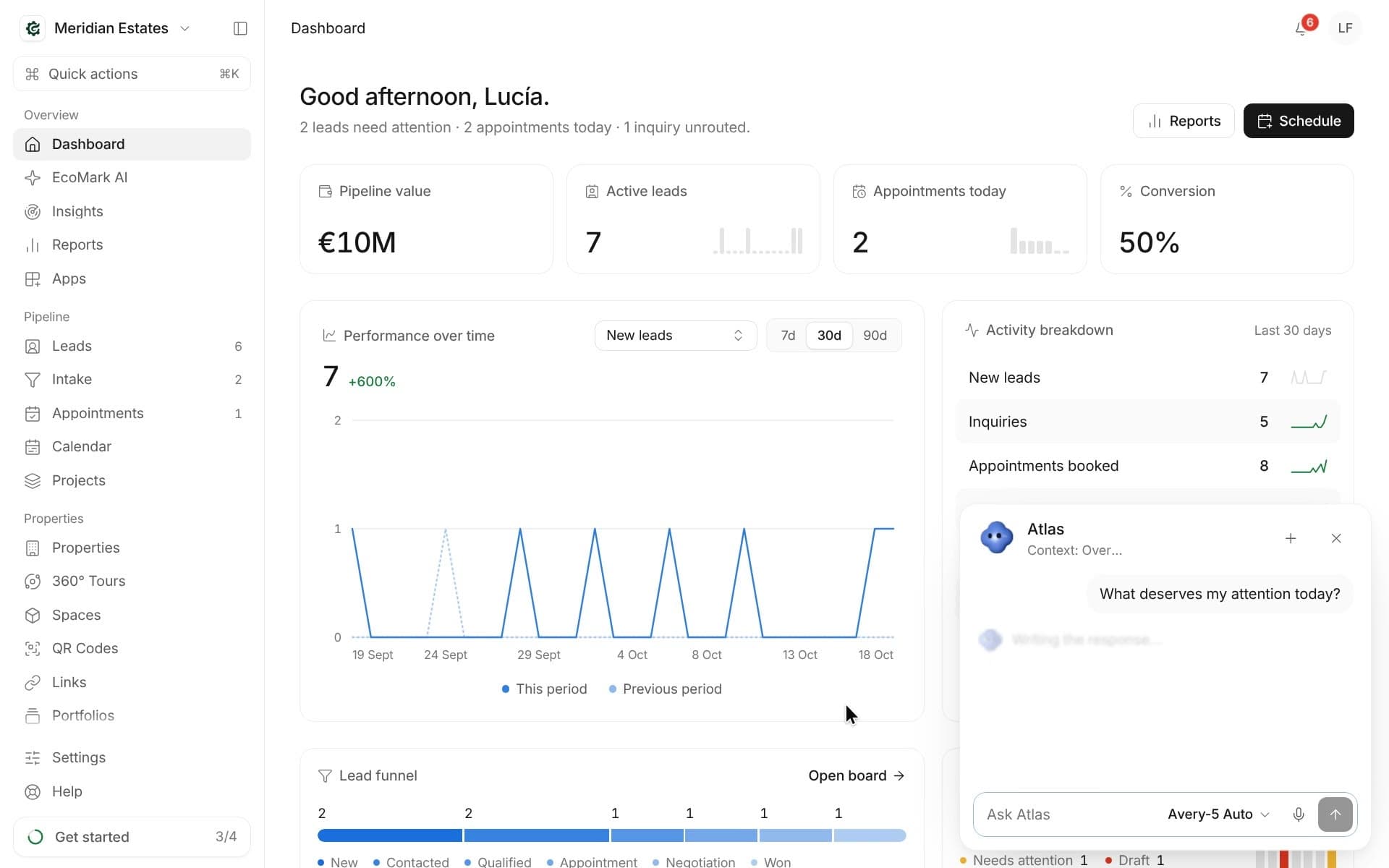
EcoMark AI
Atlas, Avery, Sage and Nova are the Ekos: four identities of one engine. Same access, same tools. The one you choose changes the name, the avatar, the tone and what it brings up first.
What deserves your attention today, answered from what is happening in your agency right now.
Meet EcoMark AIThe four
Each assistant is given exactly the same facts. What changes is the order it puts them in, and how it says them.
Atlas Recommendations
Strategy & performance
Reads your numbers, spots the opportunities and tells you what to prioritize.
I keep an eye on performance and priorities. What should we look at?
Brings up first
Avery Recommendations
Clients & follow-ups
Keeps every client relationship moving: who is waiting, who to follow up with and what to say.
I keep your client conversations moving. Who should we take care of?
Brings up first
Sage Recommendations
Properties & market intelligence
Knows your listings: which one performs, which one needs work and what to promote.
I know your listings inside out. Which property should we look at?
Brings up first
Nova Recommendations
Organization & execution
Keeps your day in order: what is next, what to prepare and what must not slip.
I keep your day on track. What do you need to get done?
Brings up first
Autonomy
Three levels, the same for every assistant. Each member chooses theirs; the agency sets the highest one anyone may use.
Prepare
It prepares drafts and proposals for you to review. Nothing is saved or sent until you approve it.
You ask
Add a follow-up with Sarah Ahmed tomorrow at 10:00.
What happens
The follow-up waits on a card with every value. Nothing is saved until you approve it.
Only at Execute, and only the kinds of action you switch on. All four are off until you do.
Leads, follow-ups, tasks and appointments
Create and update them in EcoMark when you ask.
Draft listings and their texts
Never a price, and never a listing that is already published.
Links, QR codes, portfolios and projects
Create them with the tools EcoMark already has.
Send a message you ask for
Only when you say “send” (or “schedule”, for later), you name the contact and you have already seen the exact text. Through the agency's Email or WhatsApp channel. A scheduled message is checked again before it leaves.
Prices and discounts, published listings, contractual commitments and signatures, payments, deleting anything, messages to many people at once, and everything that leaves through a connected app.
It has no tool to delete, pay, give a discount or sign.
What it can do
Every line is a tool EcoMark AI has. Whether it runs at once or waits on a card depends on your level and on what always asks first.
Keeping you informed
Each automation is a simple rule over your own records, and each member chooses which ones are on.
Your assistant tells you in its corner when something deserves a look. It never opens the chat by itself, and it stays quiet outside your agency's working hours.
What you asked forOn from the start
A proposal still waiting for your approval, a message that could not be delivered, a result that is ready.
Daily summary
Your appointments, follow-ups and pending tasks for the day. Only on days that have any.
Before a visit
It reminds you and offers to prepare the summary of the property or the client.
Inquiries with no reply
Conversations and Intake requests of yours that have waited too long. It offers to prepare the drafts.
After a visit
If nothing is planned with the client afterwards, it offers to schedule the follow-up.
Incomplete listings
One listing of yours at a time, with what it is missing. Once a week at most.
Buyers and listings that fit
When a listing is published or what a buyer looks for changes, it tells you which fit and why. Once per listing or per change. It never writes to the buyer.
Operations that are stuck
Unconfirmed visits, overdue tasks and follow-ups, documents waiting for signature: what happened, the record behind it and a proposed next step. It uses your agency's deadlines.
Blocked operations
A buyer turned a listing down, it was withdrawn or it stopped meeting what they marked as indispensable, and nothing else is under way. It says the documented reason, what else fits and what it would need from you. Once per reason; it never contacts anyone by itself.
Reply drafts ready when you arrive
For e-mail threads waiting for you, it writes a draft you review and send yourself. Each draft uses AI credits (3). It never sends.
The others are off until you switch them on.
A notice
Notice from Atlas
Coordination
When a request needs several actions, EcoMark AI writes a plan and labels each step with the speciality it belongs to. That is a label: every step runs on the same engine, with your permissions and your settings. The assistants do not hand work to each other.
See it work
Built with the product's own interface.
Every member picks their assistant and their level in Settings, and can change both at any time.